 FierceSpeed

Voice typing for Windows, Mac, iPhone and Android · Free download
Pipe Up
Talk. It types.
Hold a key, say it, let go.
Pipe Up turns your voice into clean, punctuated text in any app: email, chat, documents and the browser. Hold Ctrl+Win on Windows or Control+Cmd on a Mac, talk, then let go. Pipe Up writes down what you said, tidies it up and pastes it where your cursor is.
Get Pipe Up
-
Windows
Version 0.4.11 for Windows 10 or 11 (64-bit). Free, 12 MB.
Download for Windows -
Mac
Version 0.4.11 for Apple silicon, macOS 13 or later. Free, 146 MB.
Download for Mac -
iPhone
Through TestFlight, then the App Store.
Ask to join the beta -
Android
Android 8 or later.
Ask to join the beta
Verify this download (optional)
Compare the SHA-256 checksum of your download with its public fingerprint.
Windows installer, Pipe Up 0.4.11:e91d4f16218da1c5d449b1c396338737b17d69394f87a095f80f5d0fb39d4158
Mac disk image, Pipe Up 0.4.11:708b07a5a6da9a6b50f600c00a69a0ad4f2d433869e5f79e933a8d2ee6253ad6
It cleans up as you go.
Filler words drop out, punctuation goes in, and when you change your mind ("Tuesday, no actually Wednesday") only the correction stays. Say "new paragraph" or list a few things and they're formatted for you. A personal dictionary keeps names and jargon spelt the way you spell them.
On your PC, or in the cloud.
Run everything on your PC: speech with Whisper, and cleanup with a small model through Ollama. It's free and what you say stays with you. Or use cloud models with your own keys: Groq, OpenAI, Grok, Claude, or any server that speaks the OpenAI format. Audio goes only to the speech provider you pick, and text only to the text provider.
Your history and meeting notes stay on your PC, where you can search, export or clear them, unless you turn on Keep my history online.
Meeting notes, written for you.
When a Teams, Zoom, Webex, Slack, WhatsApp or Google Meet call starts, Pipe Up asks whether to record it. Add your calendars and it gives you a heads-up just before each meeting, with a button to join and record. It records your microphone and the call's sound separately, so the transcript knows what you said and what everyone else said, and while it's recording it stays out of your screen share. When the call ends it writes up a summary with decisions, action items and open questions. Let people know when you're recording them.
A look inside Pipe Up
Actual app screenshots with fictional sample history. Select an image to view it at full size.
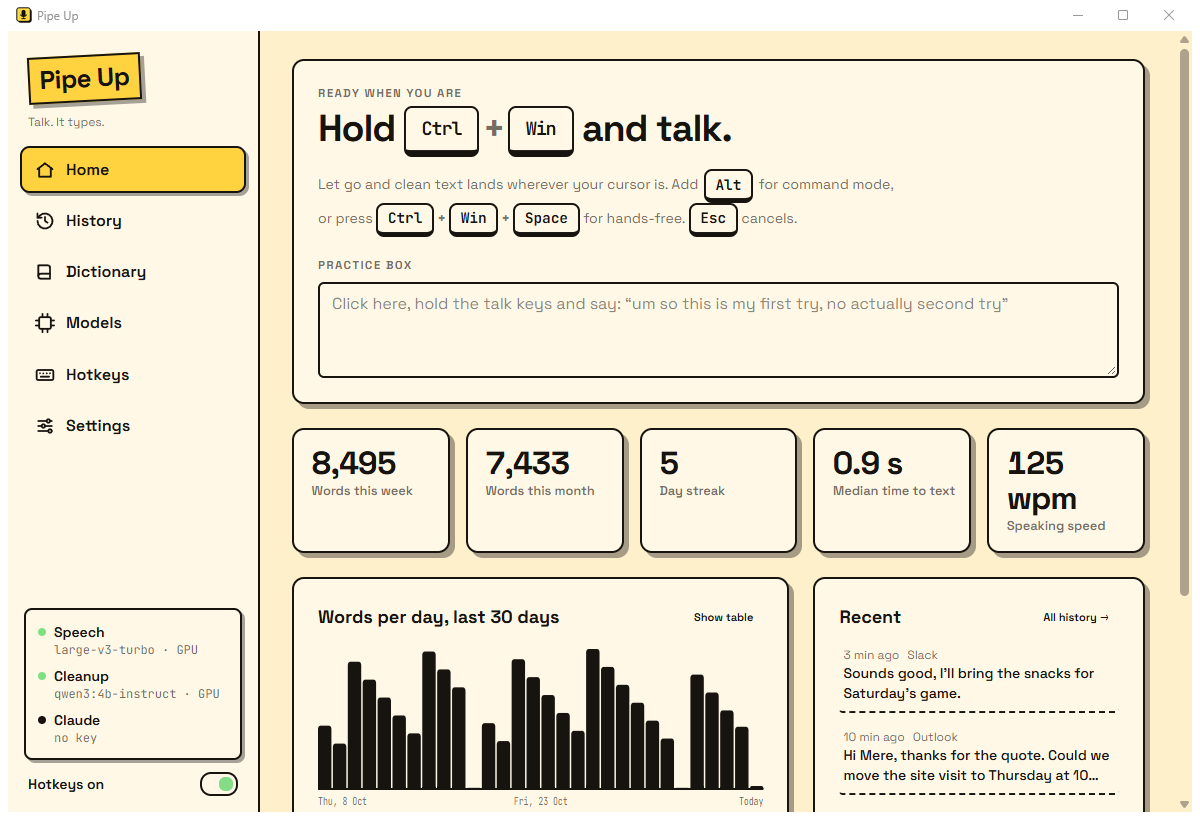
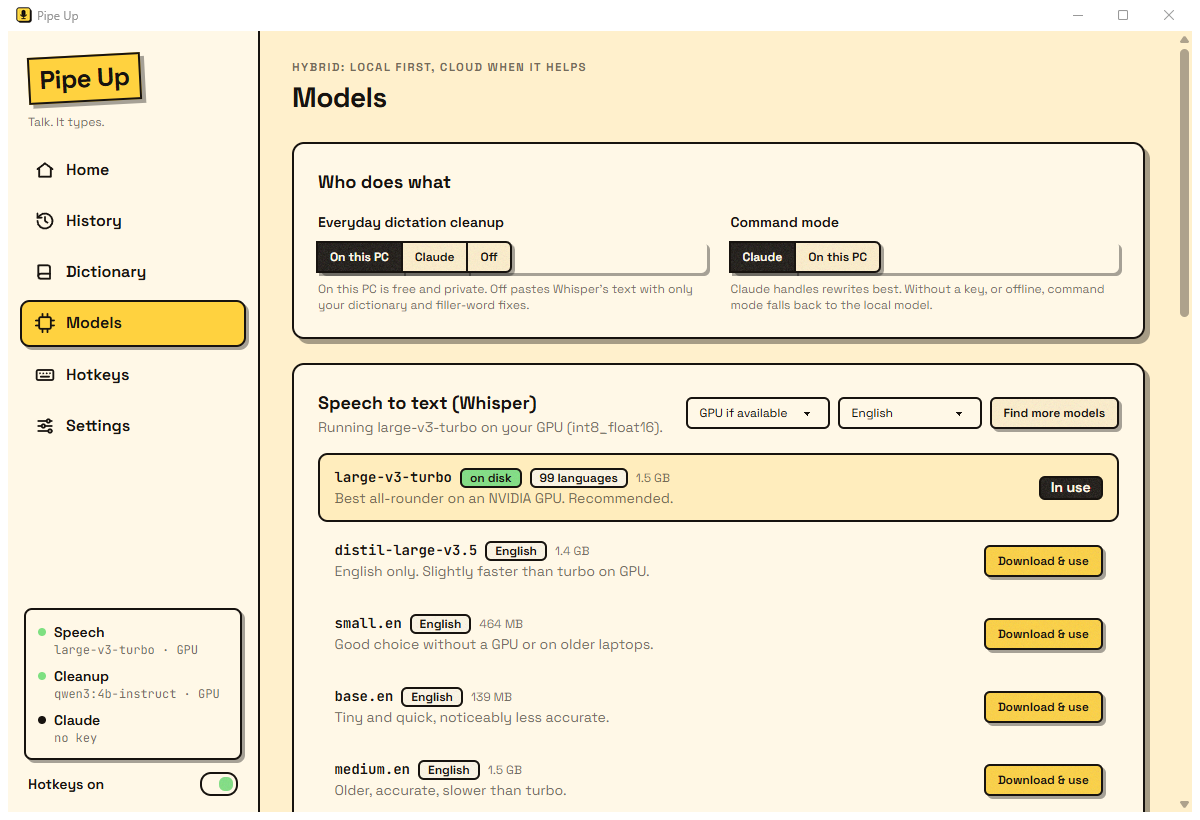
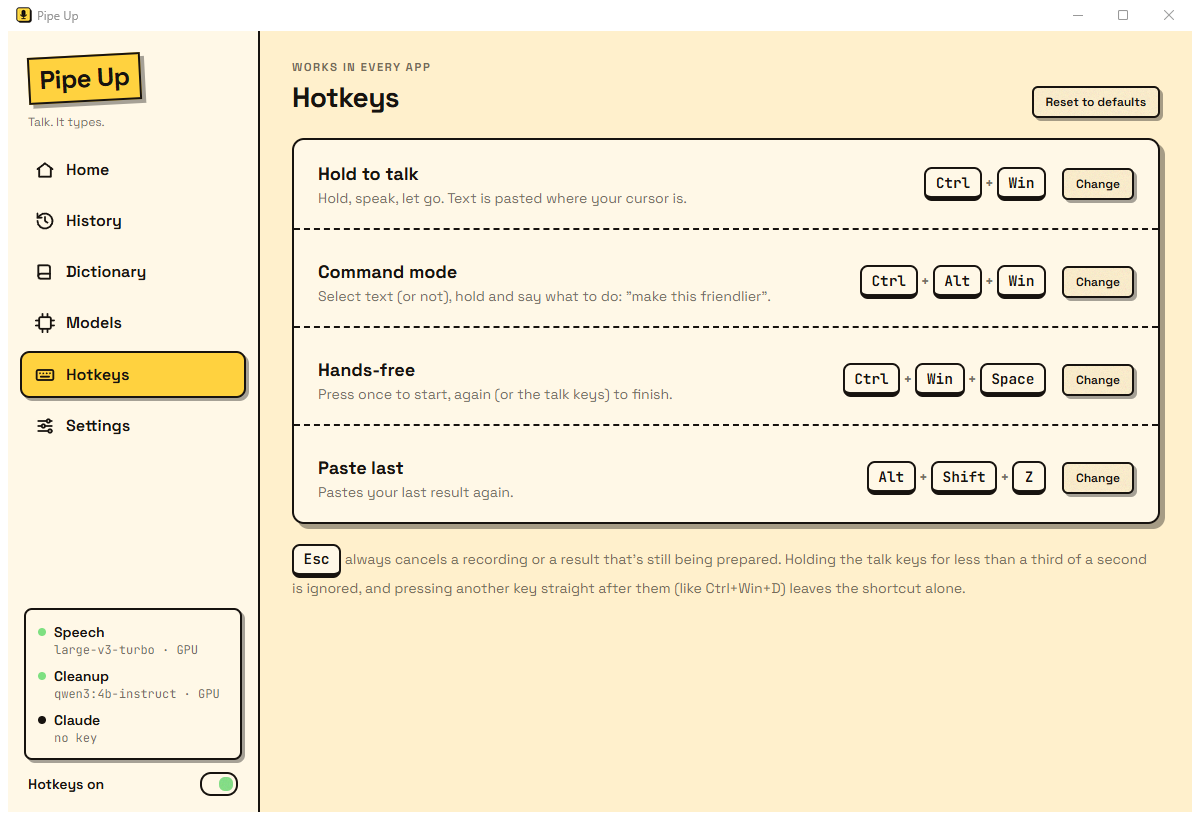
Command mode and Quick chat.
Select some text, hold Ctrl+Win+Alt and say what you want: "make this more formal", "turn this into bullet points", "reply saying yes to Thursday". Command mode uses Claude by default, with your own Anthropic API key (kept in Windows Credential Manager) or your team's. Quick chat is a chat with the same model that you can dictate into.
Ready for your team.
Create a team account on the Pipe Up team website, add sub-teams if you need them, and invite people by email. Once they accept, they sign in with Google or a password and use the team's shared model keys, so nobody needs keys of their own and it's all on one bill. Admins see each person's usage and estimated cost, choose the default models and set daily limits. The keys are encrypted on the team server and never reach anyone's PC.
Everyone also gets their own pages on that website for their dictionary, writing settings and models, and their history and meeting notes if they turn on Keep my history online. Recording and speech to text stay in the app.
Made for how you work.
- A bar that stays out of the way. A small handle at the bottom of the screen: click it to dictate, or right-click to paste your last text again, record a meeting or open Quick chat.
- Hands-free mode. Press Ctrl+Win+Space, talk as long as you like, press again to finish.
- Your keys, your mic, your look. Change any hotkey, choose your microphone and pick from a dozen colour themes.
- Your models. Choose your speech and cleanup models. Pipe Up downloads only the ones you pick, and can look up newer ones.
- Always ready. Starts when you sign in and waits in the Windows tray or Mac menu bar.
What you need
- Windows 10 or 11 (64-bit), or an Apple-silicon Mac on macOS 13 or later, and a microphone.
- On your PC: best with an NVIDIA graphics card (4 GB or more). Without one, speech runs on the processor with a smaller model, so it's slower.
- In the cloud: any PC, plus your own API keys, an invite to a team, or a team account you create.
Installing on Windows
When you install, choose On this PC (the installer then fetches the speech engine and models, a few gigabytes) or In the cloud (nothing more to download).
The installer isn't code-signed yet, so Windows SmartScreen may say it doesn't recognise the app. Choose More info, then Run anyway. Pipe Up installs for your Windows account only, with no admin rights, and you can remove it from Settings > Apps.
Installing on a Mac
This first Mac release is ad-hoc signed rather than Apple-notarised, so macOS needs one extra confirmation the first time you open it.
- Open the .dmg and drag Pipe Up to Applications.
- Try to open Pipe Up. If macOS blocks it, open System Settings > Privacy & Security, choose Open Anyway, then confirm Open.
- Allow the microphone, then turn Pipe Up on under Accessibility and Input Monitoring. Pipe Up needs these for its hotkeys and to paste your text.
- Hold Control+Cmd to talk, and let go to paste the text.
Because this build is ad-hoc signed, an update may ask you to grant those permissions again.
Pipe Up starts when you log in and waits in the menu bar. On a Mac, meeting recording takes your microphone only, and calls aren't detected automatically: start a recording yourself, or from a calendar heads-up.
Got a question or an idea?
Tell me what would make Pipe Up work better for you.