 FierceSpeed

Better retrospectives · Available on the web
Board
A little space for better teamwork.
Make room for the conversation.
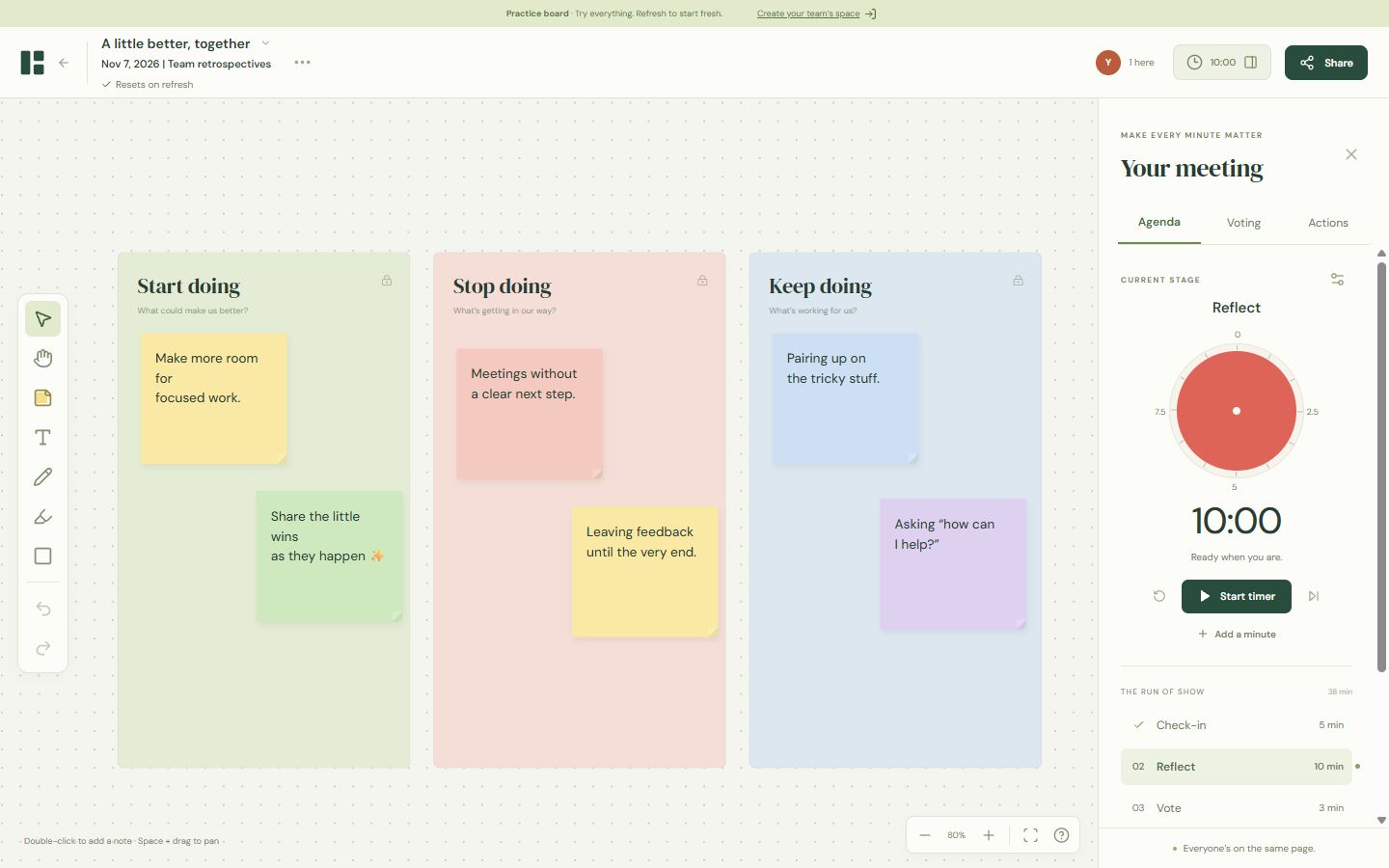
Bring your team together on a shared whiteboard. Add sticky notes, move ideas around, draw with a pen or marker, and see where everyone is working. Start with a retrospective template and turn the discussion into clear next steps.
Already have an account? Log in to Board. Or try the practice board without signing in. The practice board starts fresh whenever you refresh.
From first thought to next step.
- Set the scene. Give your board a name and meeting date, organise it into a group, and choose a template. Save your own layouts for next time.
- Hear from everyone. Add and edit sticky notes, text, shapes and drawings together. Move or resize unlocked objects; lock the layout when it is ready.
- Keep time together. Configure a duration for each meeting stage. Everyone sees the same countdown, as a red visual timer, a digital clock or both.
- Choose what matters. Set a voting allowance for each person. Keep votes hidden until the round closes, or show them as they come in.
- Leave with a plan. Capture actions, add owners and due dates, and download actions as CSV or export the meeting notes.
A look inside Board
The practice retrospective, with sample notes and a shared meeting timer. Select the image to view it at full size.
Work with your preferred AI client.
Connect a compatible MCP client to create boards, add or edit notes and drawings, use templates, manage meeting stages and work with actions. Download actions as CSV or JSON from your client, or as CSV from Board.
Sign in to Board to approve each connection. Your client can only work with boards you can access, owner-only settings stay protected, and hidden votes remain private until the round closes.
Invite the right people.
Keep a board private to you, select individual teammates, or give a whole team access. Sign in with Google or an email and password; email invitations require a verified address. Share the board link with the people you have added.
For a meeting with guests, open a public link for a set period, such as three hours. Anyone with the link can join and edit during that window without an account. Close it early whenever you need to; access through the public link ends when the window expires.
Got a question or an idea?
Tell me what would make your next retrospective better.